In this article, you'll learn how to share a class, your studio page or your teacher profile.
Before you start
- The class needs to be published. Drafts can't be shared yet.
- Anyone can open the link. They need a free account to book.
Share a class
To share a class, follow these steps.
- Open the class page.
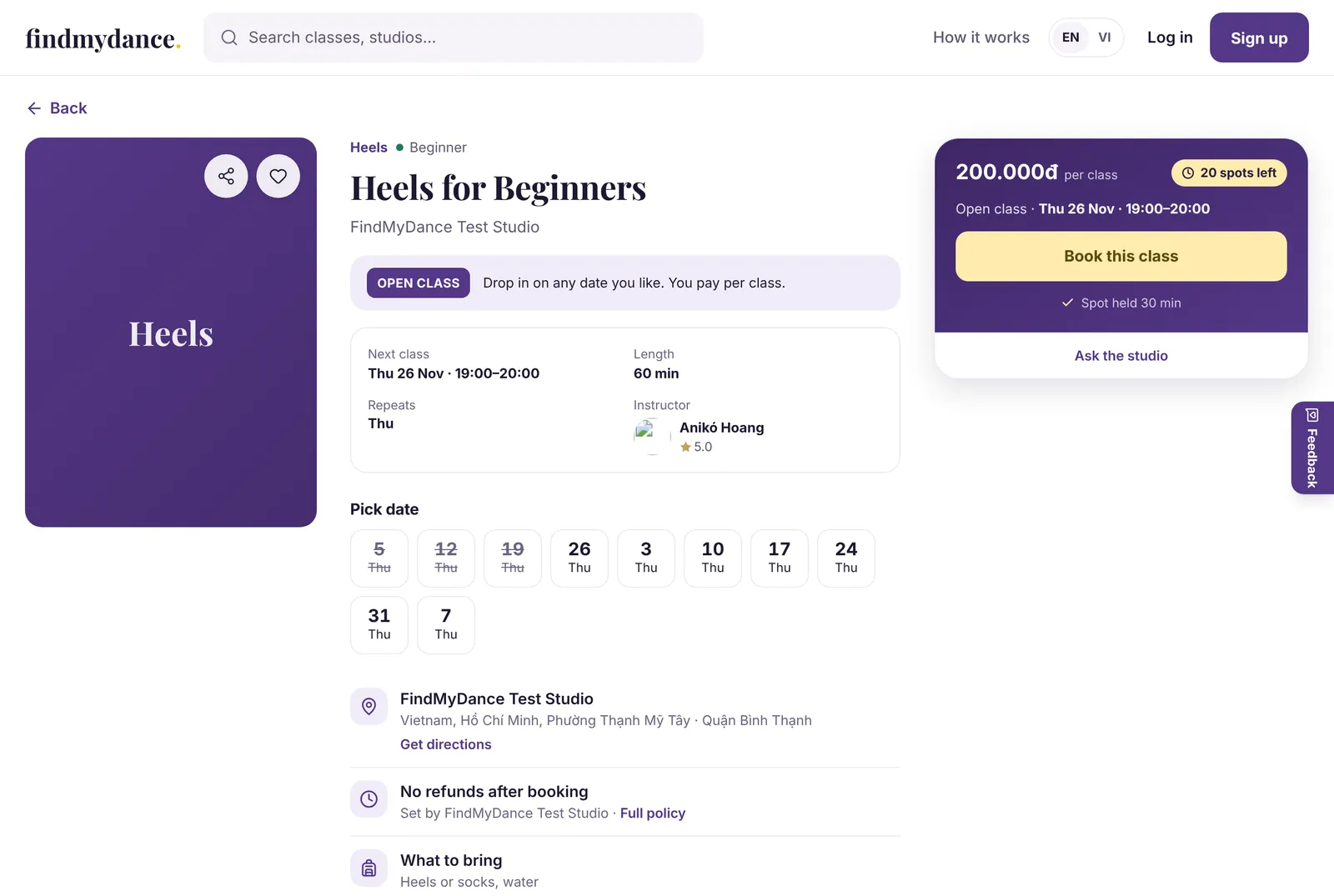
- Click the share button at the top of the class photo, next to the heart.
- Your phone or computer's own share menu opens. Choose an app, or copy the link.
- Paste the link where your dancers are, for example:
- Your Instagram bio or story
- A Facebook post or group
- Your class Zalo group
Share your studio page or profile
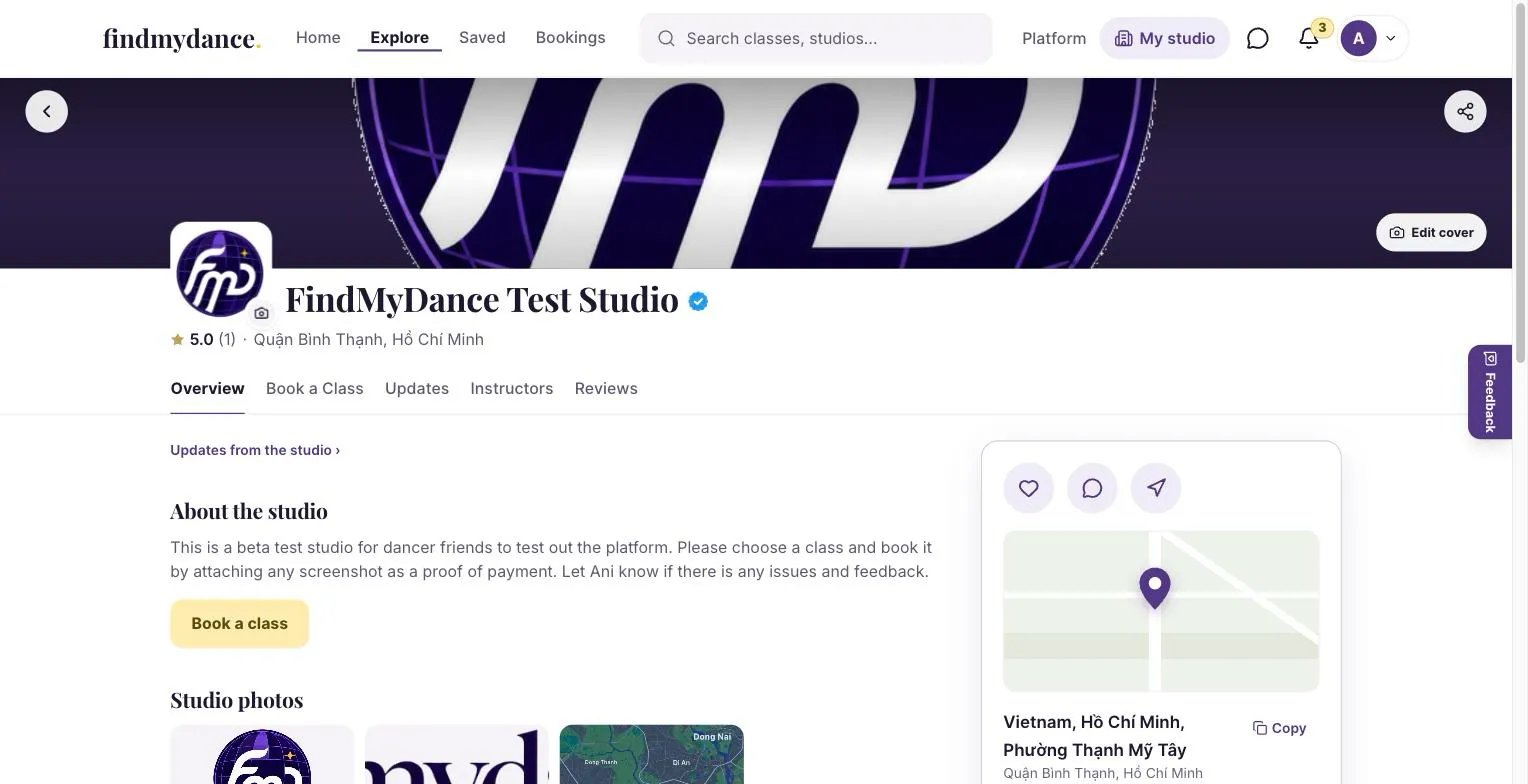
To share your whole studio instead of one class, open your studio page and click the share button in the top right of the cover photo. Teachers can do the same from their profile.
Share from your studio area
You can also share without leaving your studio area:
- Your studio page: on Home, under Shortcuts, click Copy your link. You'll see Link copied, and you can paste the link anywhere.
- One class: go to Schedule, click the class, then click Share.
What people see when they open a class link
- The class name, style, level and type, for example OPEN CLASS
- The next date and time, with start and end times
- The instructor and their rating
- The address, with Get directions
- The price per class and how many spots are left
- A Book this class button and Ask the studio
Tip: Put your studio page link in your Instagram bio, and share single class links in your stories when a class is almost full.