In this article, you'll learn how to set prices and spots when you add or edit a class.
Before you start
- Prices are set in Vietnamese đồng (đ).
- Every class needs at least one price: a full-course price or a drop-in price.
- Which prices you can set depends on the type of class:
- Course: a full-course price, plus an optional drop-in price.
- Open class: a price per class, for each date.
- Workshop or Event: one price for the single date.
Set prices on a new class
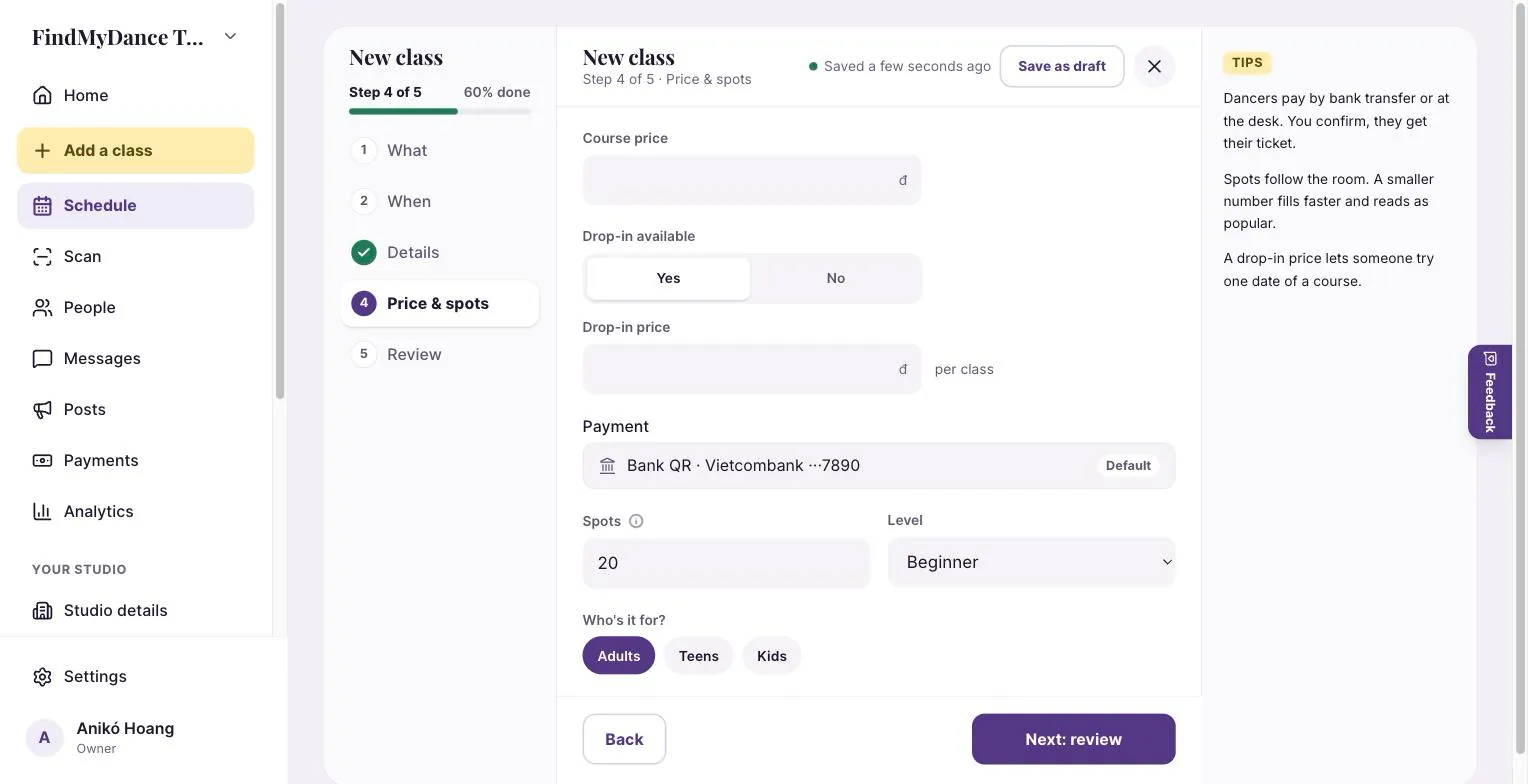
Add a class has five steps: What, When, Details, Price & spots and Review. To set prices, follow these steps.
- Click Add a class and fill in What, When and Details.
- On Price & spots, enter the Course price, for example 950.000đ for 8 classes. For an open class, enter the Price per class instead.
- To let dancers come to a single date of a course, set Drop-in available to Yes and enter the Drop-in price per class, for example 200.000đ.
- Enter the number of Spots. When the class is full, dancers join a waitlist.
- Click Next: review. On Ready to publish?, check how the class will look on Explore, then click Publish. The class goes live at once, and you can edit anything later.
Change prices on an existing class
- Go to Schedule and click the class.
- Open the ••• menu and choose Edit class.
- Go to the Price & spots step and change the price or spots.
- Click Save changes.
Note: If dancers have already booked, changing the price doesn't change what they paid.
What dancers see
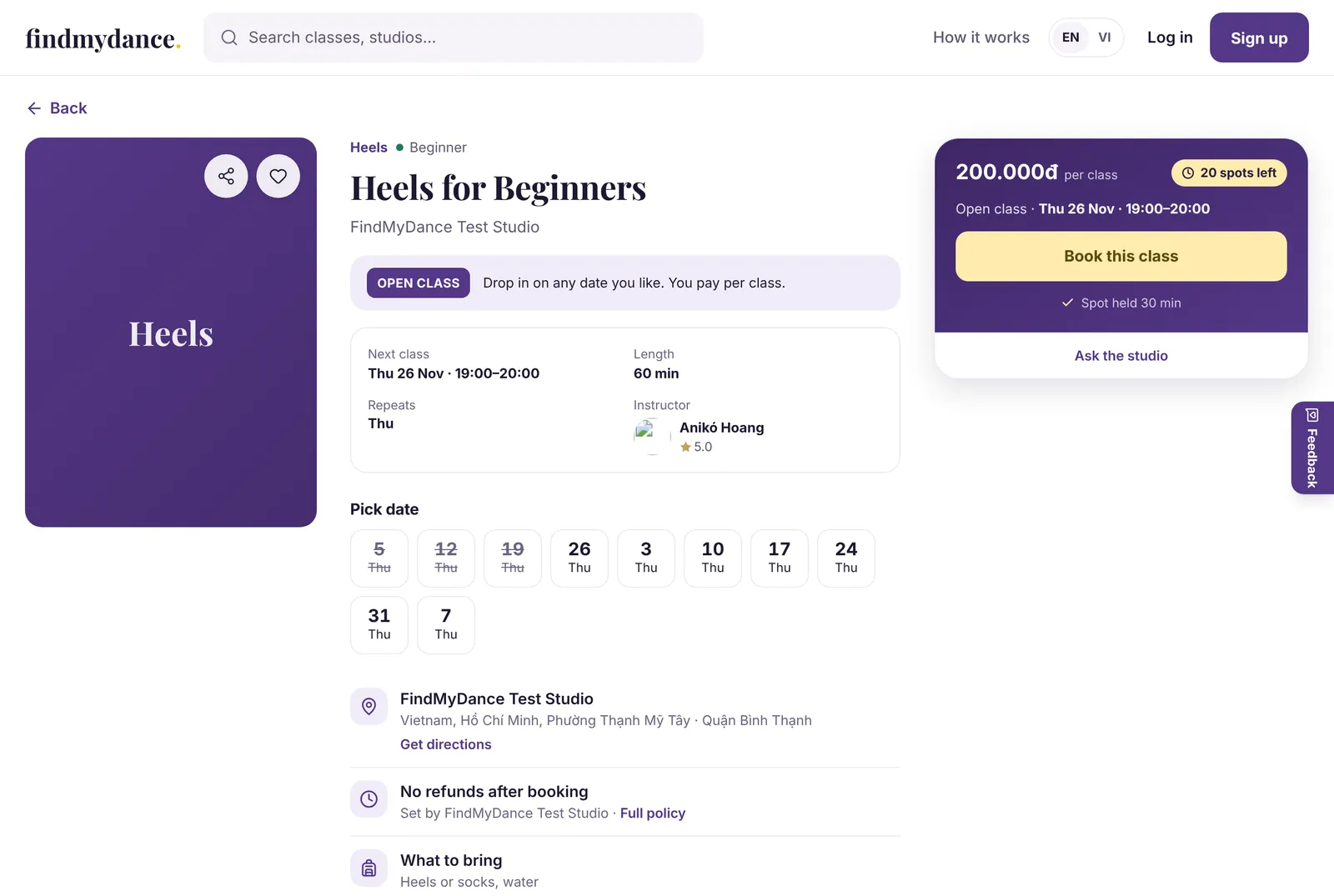
On the class page, dancers see the price and how many spots are left, for example 200.000đ per class · 20 spots left. For a course, they choose Full course or Drop in, and pay that exact price.
Dancers can also filter Explore by Price per class (Under 200k, 200k to 400k, Over 400k) and by Drop-in welcome, so clear prices help your class show up.