In this article, you'll learn how dancers use the map, and how studios make sure their location is right.
How the map works
- The map sits next to the class list on Explore. It follows your search, so if you pick a day or a style, the map shows only matching classes.
- Pins are grouped when classes are close together. Zoom in to see each studio.
- Only published classes appear. Cancelled classes are taken off right away, so they can't be booked.
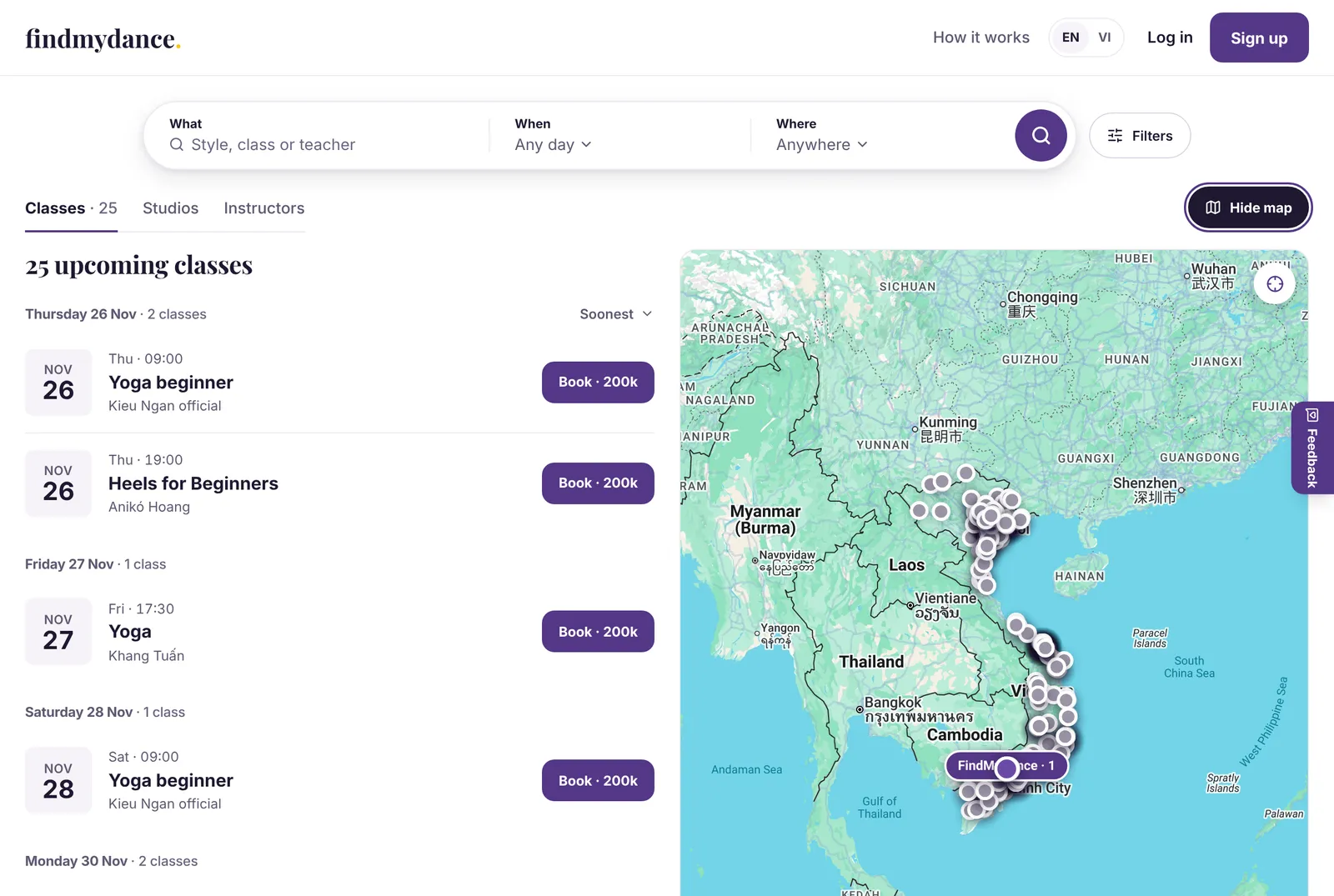
Find a class near you
To find a class on the map, follow these steps.
- Go to Explore. On a computer, the map shows on the right.
- Click Centre on my location to jump to where you are, or zoom and drag to another area, for example District 1, District 3 or Bình Thạnh.
- Click a pin to see the classes there.
- Click a class to open it, then click Get directions to get there.
Tip: Want the closest classes at the top of the list? Open Filters and turn on Near me.
Set your studio's location
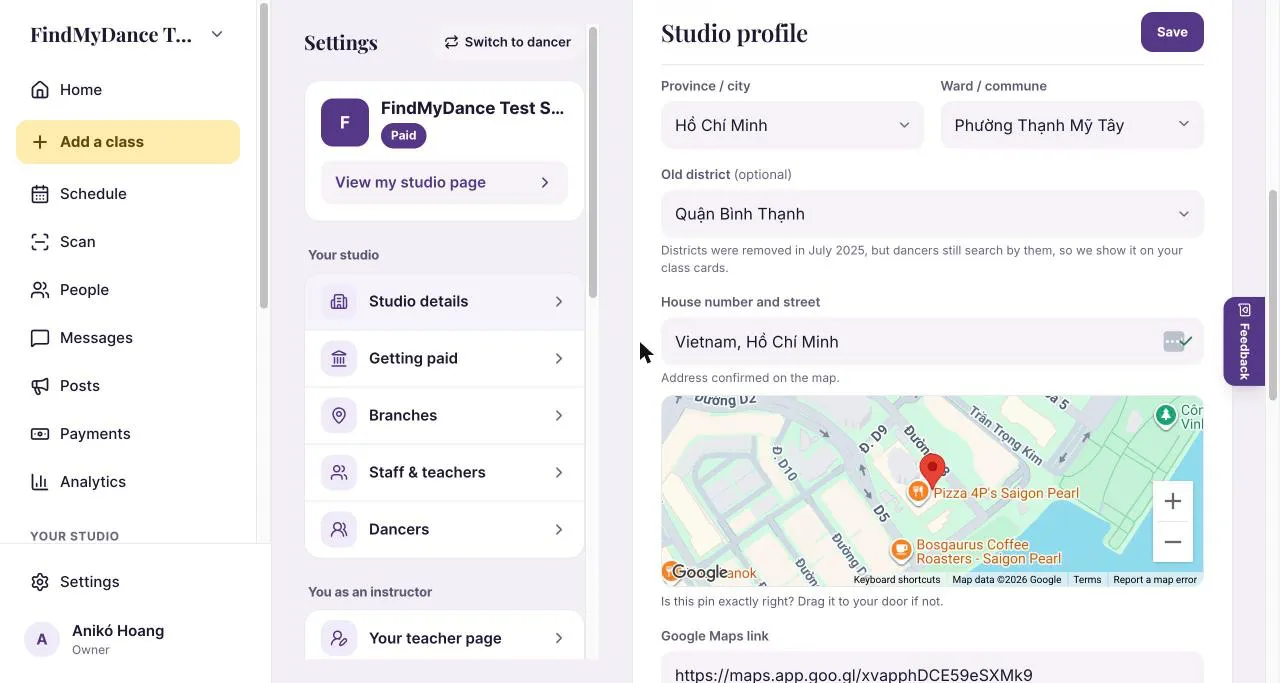
If you run a studio, your address decides where your classes appear on the map. To set it, follow these steps.
- Go to Studio details. The Studio profile opens.
- Under Location and contact, choose your Province / city and Ward / commune, then fill in House number and street. When the address is found, you'll see Address confirmed on the map.
- Check the pin on the map. If it isn't exactly right, drag it to your door.
- Optional: paste your studio's Google Maps link so dancers find the exact spot. In Google Maps, open your studio, then choose Share and Copy link.
- Click Save.
Your address also shows on your studio's Overview tab, with a small map, a directions button and Copy.