In this article, you'll learn how to book a class, pay for it and find your booking.
Before you start
- You need a FindMyDance account. Signing up is free.
- To pay by bank transfer, you need a banking app that can scan a QR code. Most Vietnamese banking apps can.
- Some studios also let you pay cash at the desk. Cash is paid at the studio and doesn't hold a spot.
- Each studio sets its own refund policy. You'll see it on the class page, for example No refunds after booking.
Read the class page
Every class page shows what you need before you book:
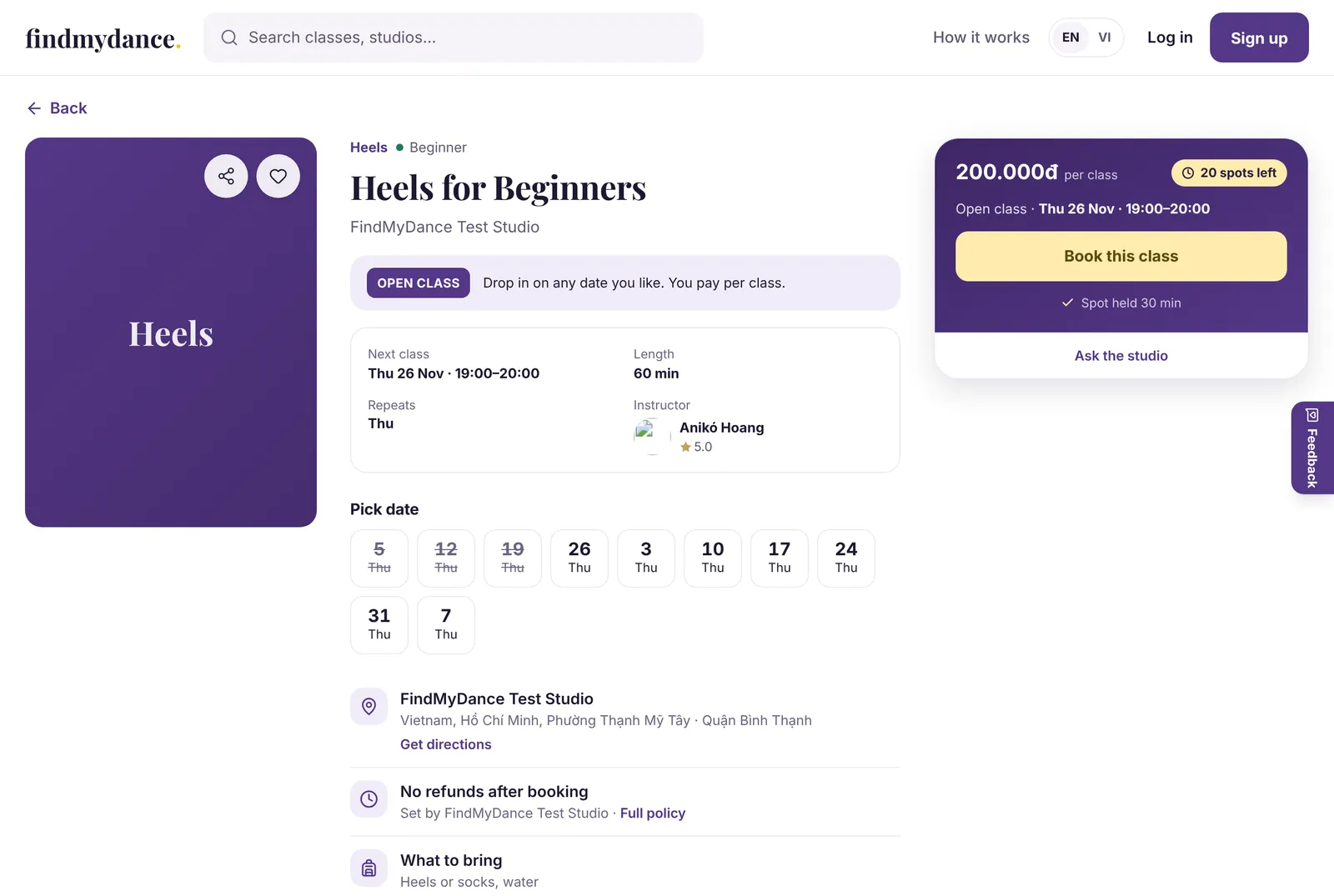
- The class type, for example OPEN CLASS: Drop in on any date you like. You pay per class.
- Next class, Length, Repeats and Instructor.
- The price per class and how many spots are left, for example 200.000đ per class · 20 spots left.
- The studio's address with Get directions, the refund policy, and What to bring.
Book a class
To book a class, follow these steps.
- Open the class page.
- Under Pick date, choose the date you want. Past dates are crossed out.
- For a course, choose Full course or Drop in.
- Click Book this class.
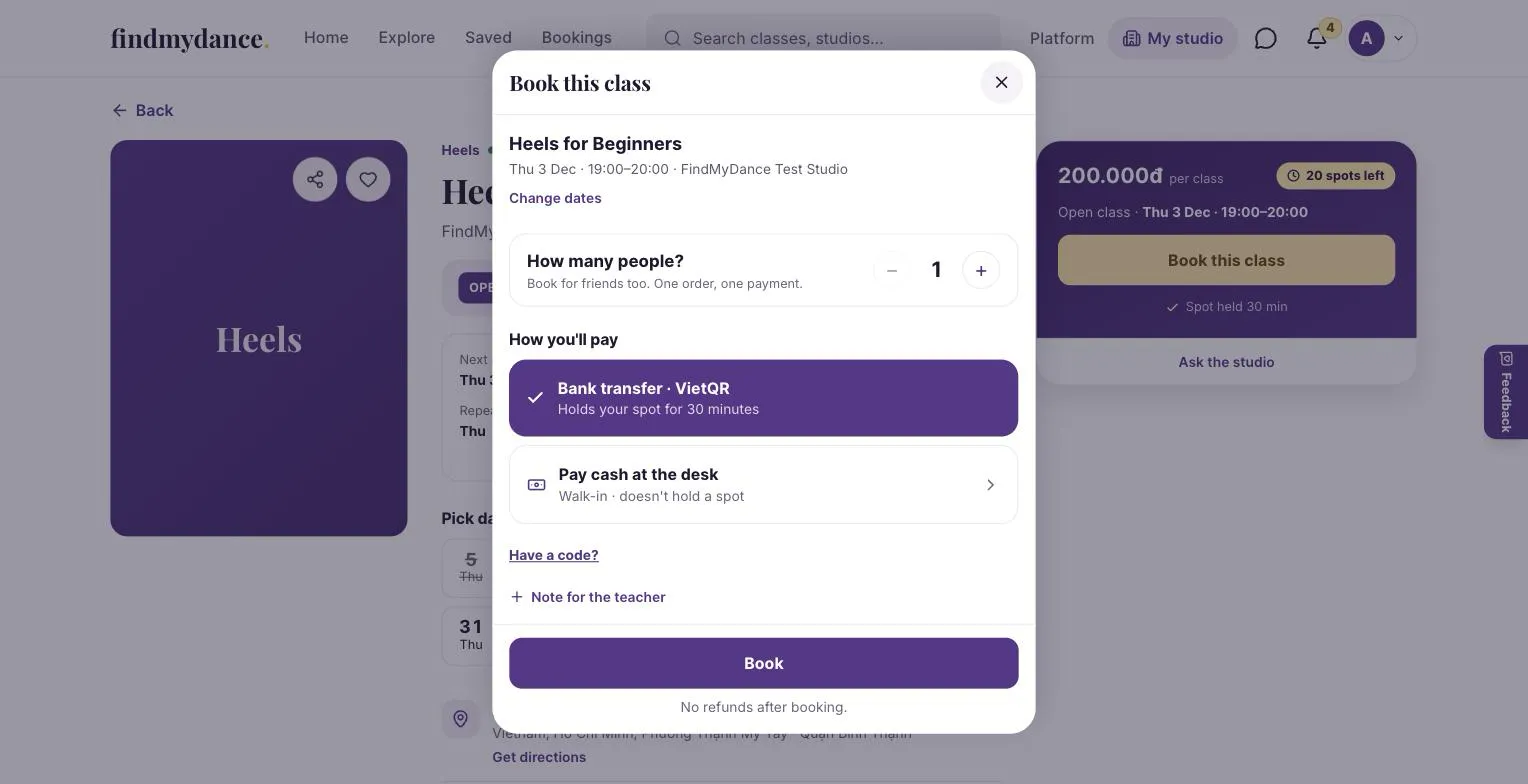
- Under How many people?, add friends if you're booking for them too. It's one order and one payment.
- Under How you'll pay, choose Bank transfer · VietQR. This holds your spot for 30 minutes. (Pay cash at the desk is a walk-in and doesn't hold a spot.)
- Click Book.
Tip: Not sure the class is right for you? Click Ask the studio to send them a message first.
Pay by bank transfer
To pay, follow these steps.
- On Pay and the studio's name, scan the QR code with any banking app. On a phone, tap Save the QR, then open your banking app and choose Scan QR → Choose from gallery. The amount and transfer note are filled in for you.
- Or copy the details by hand: each of Bank, Account number, Account name, Amount and Transfer note has a Copy button. Check the account name matches the studio.
- Make the transfer. A timer at the top shows how long your spot is still held.
- Click I've paid, next: add screenshot.
- Take a screenshot of the "transfer successful" screen in your banking app. Click Choose a screenshot and add it. The studio uses it to find your payment.
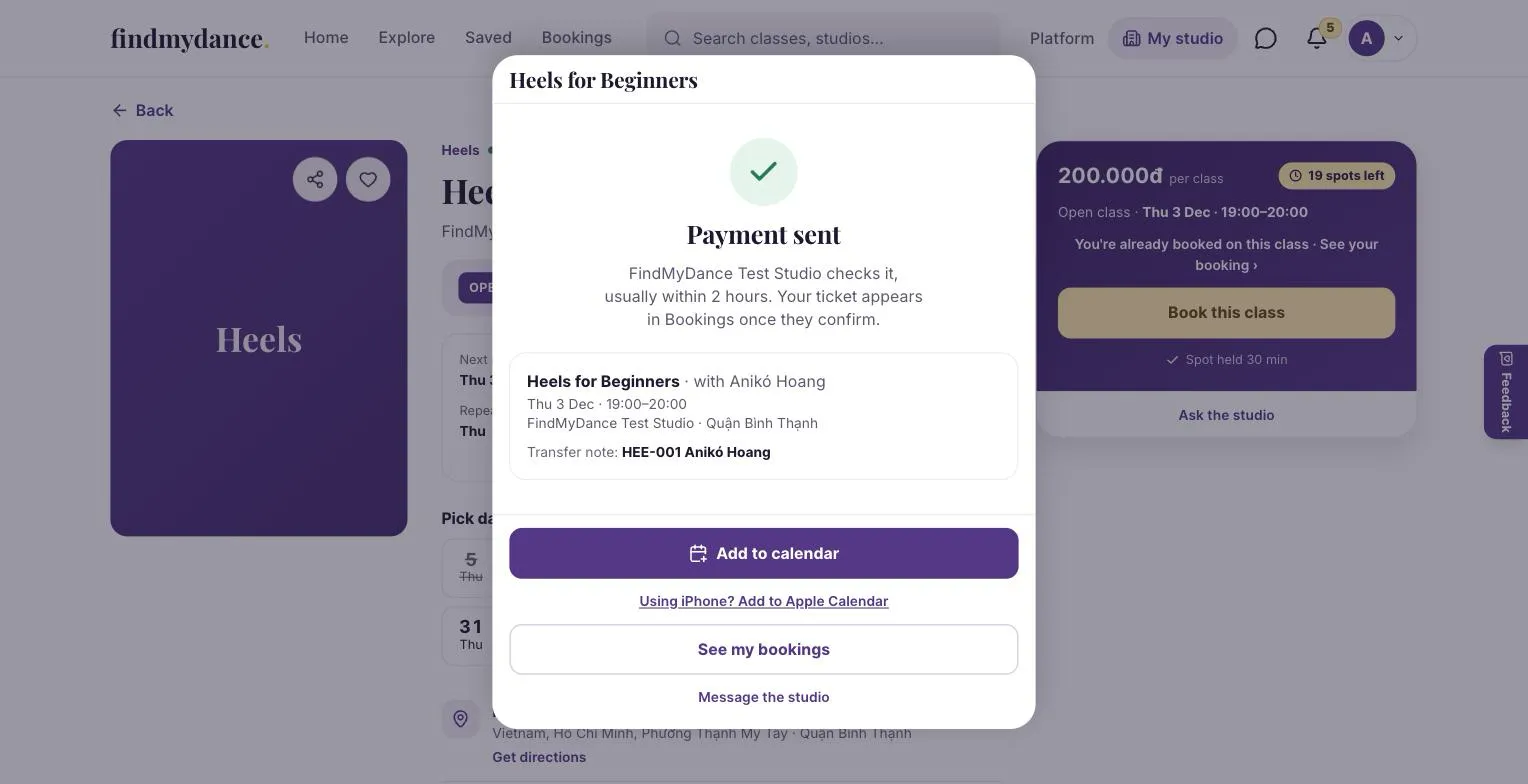
- Click Send to and the studio's name. You'll see Payment sent.
- The studio checks your payment, usually within 2 hours, and confirms your booking. You'll get a notification when it's confirmed.
Note: If you don't pay within 30 minutes, the spot is released for other dancers. Nothing is charged.
Find your booking
- Go to Bookings in the top menu. Your next classes are under Coming up, with the date, time, class name and studio. Switch between List, 3 days and Month views. Past classes show under Past, and cancelled ones under Cancelled & refunded.
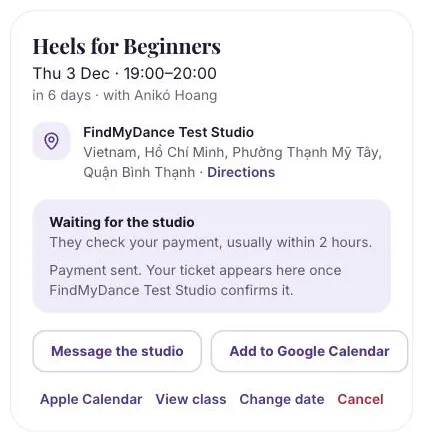
- Until the studio confirms your payment, the booking says Waiting for studio. Your ticket appears once they confirm.
- Click a booking to see it. From here you can Message the studio, add it to your calendar, Change date or Cancel.
- On the day, open the booking and show your ticket at the front desk to check in.